First, you must define Booking.com properties in "Xero organization config".

You can find the property ID in Booking.com Payout file in the column "Property ID".
Next you have to define the accounts n the "Account mapping config". You can find the accounts of type "Booking.com" at the end of the account list. There are four accounts, that must be defined.

Bank Account is the account, where you want to do the reconciliation.
The next configuration account, is to define "the contact". Bank transactions must have a contact. This should be the same contact, which is displayed by the bank transfer from Booking.com. You can define the contact in "Booking.com Payouts"->"Configuration":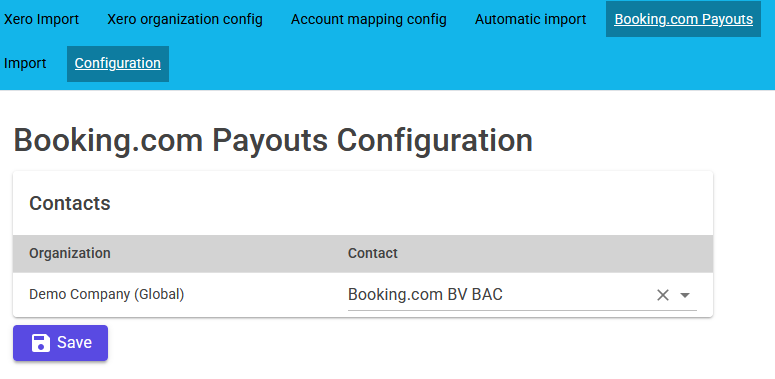
The last step is to start the import of Booking.com payout into xero. You can start it in "Booking.com Payouts" -> "Import":
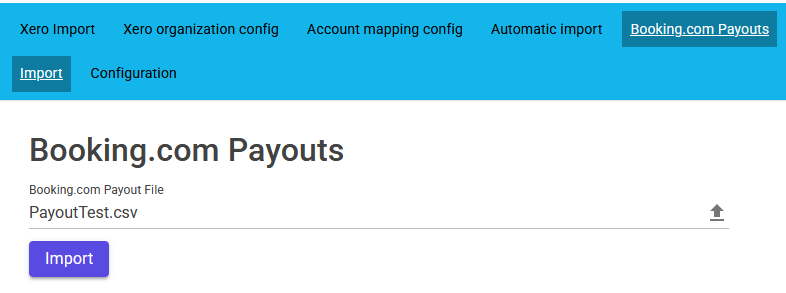
You must select the Booking.com Payout file. Simple click at the field "Booking.com Payout File". A new File-Select-Window will be opened. If you have selected the file, you can import the Booking.com transaction from the file into xero. The transactions are imported as bank-transactions. For each booking day, there is one bank-transactions with some line items.
The bank-transactions in xero: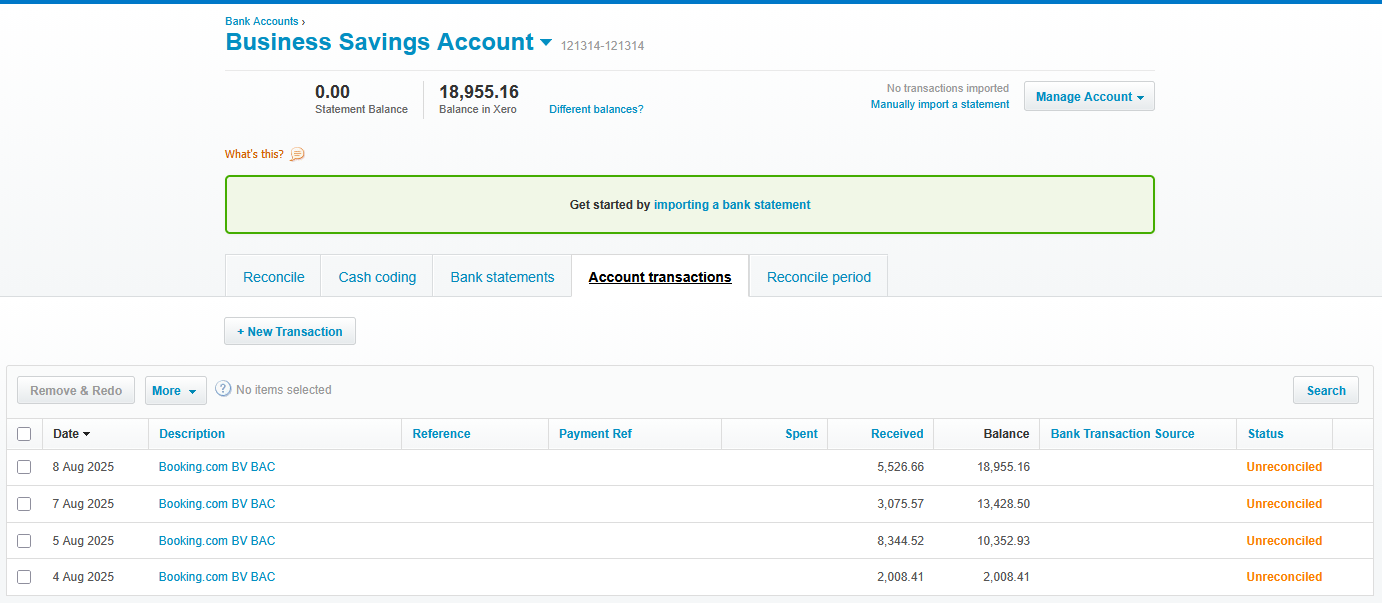
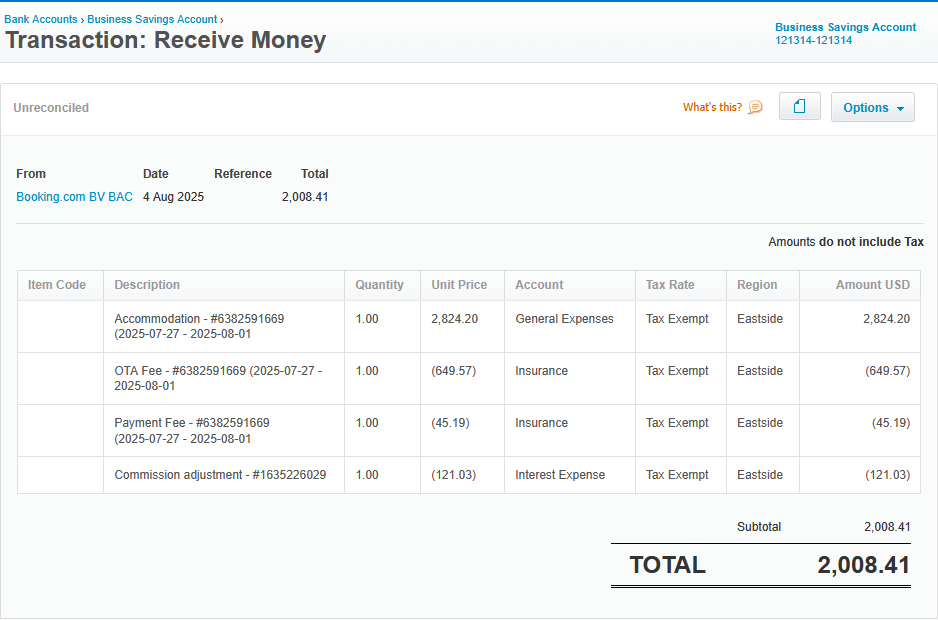
Detail of one bank-transaction: